

Less time managing the lesson. More time bringing science to life.
Give students a chance to predict, explore and understand, while you stay focused on the teaching that matters.
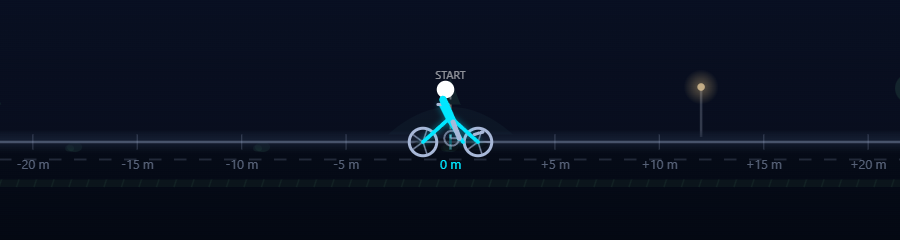
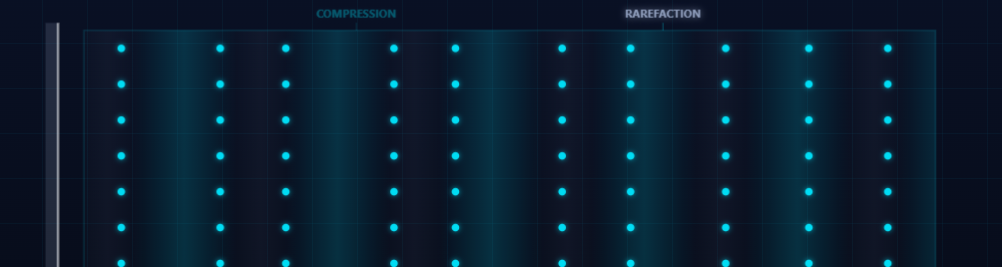
Some ideas make sense only when students can see what changes.
An interactive demonstration gives the whole class something to watch, question and discuss together, alongside everything you already do well.
- Some concepts are hard to explain in words alone.
- A student can follow an explanation and still feel unsure.
- Lesson time is limited.
- Good discussions start when students are asked to think and predict.
What a lesson can look like.
- 1
Choose a concept
Pick the explorer that matches today's lesson from the ones assigned to your school.
- 2
Bring it into the classroom
Open it on a laptop, projector, TV or smart board, or share your screen in an online class.
- 3
Invite predictions
Before changing anything, ask students what they think will happen.
- 4
Explore together
Change the variables the explorer offers, watch what follows and let the discussion lead.
- 5
Check understanding
Ask students to explain what changed, and why.
These steps are teaching suggestions. The controls and activities available depend on each explorer.
Designed for the way teachers teach.
Ready when the lesson begins
Open an explorer assigned to your school in your browser. There is nothing to install.
Easy to bring to the front of the classroom
Use it on a laptop, desktop, projector, TV or smart board, or share your screen in an online class.
More than watching
Students see what changes when a variable changes, which makes it natural to ask for a prediction first.
Matched to your school
You see the explorers assigned to your school, with the Class 9 content for its board, in English.
Keep the lesson yours
SciSens is a teaching companion. It does not replace the teacher, the textbook or the laboratory.
One concept at a time
Each explorer is built around a single scientific idea, so you can fit it into a lesson your own way.
Let the product speak.
These are excerpts from real Class 9 explorers. The home page has a live demo you can try right now: change it and watch what happens.
Try the live demo →

Before you try it.
Do I need to be technically experienced to use SciSens?
No. SciSens runs in a web browser, so there is nothing to install. You sign in, open an explorer assigned to your school and use it on the display you already teach with.
Can I use the simulations during a regular lesson?
Yes. SciSens is designed as a classroom teaching companion. It works on a laptop, desktop, projector, TV or smart board, and you can share your screen in an online class. An internet connection is required.
Can I use SciSens with my existing teaching materials?
Yes. SciSens is meant to sit beside your textbook, your slides and your laboratory work, not to replace them. How an explorer fits into your lesson is up to you.
How do I find the simulations available to me?
After you sign in, you see the explorers assigned to your school. Which explorers those are depends on your school’s plan, so there is nothing to choose or unlock yourself.
Which classes and boards does SciSens cover?
The current catalogue is for Class 9, with ICSE and CBSE content, in English. Class 10 is planned for the future. For questions about what your school has access to, write to info@scisens.app.
Bring one difficult concept to life.
Start with a single lesson. Explore what becomes easier to explain when students can see science in action.
- Nothing to install
- Works on the display you already use
- You stay in control of the lesson